
Download Medvise – AI‑Powered Medical Documentation Tool
Overview
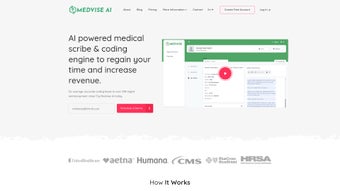
Medvise is a subscription‑based, cloud‑native AI platform that reimagines how clinicians capture and manage patient information. By acting as a real‑time scribe during consultations, Medvise automatically converts spoken dialogue, typed notes, and structured inputs into fully compliant medical charts. The tool integrates directly with the most common electronic health record (EHR) systems, allowing seamless data flow without the need for duplicate entry. Leveraging rule‑based machine learning, Medvise not only populates clinical documentation but also flags missing elements, suggests appropriate CPT and ICD‑10 codes, and validates billing data against payer guidelines. The result is a dramatic reduction in administrative workload—often cutting charting time by 40‑60 %—so providers can devote more energy to patient interaction and clinical decision‑making. Medvise also surfaces evidence‑based recommendations drawn from the latest research, turning the documentation process into a decision‑support moment. In short, Medvise blends secure cloud architecture, AI‑driven automation, and evidence‑based clinical intelligence to streamline medical documentation, improve coding accuracy, and ultimately boost practice revenue while enhancing patient care quality.
Core Features of Medvise
- Real‑time AI scribe: Captures conversation in the exam room and creates structured notes instantly.
- EHR integration: Bi‑directional sync with Epic, Cerner, Allscripts, and other major platforms.
- Intelligent coding assistance: Suggests CPT, ICD‑10, and HCPCS codes based on documented findings.
- Documentation gap detection: Rule‑based alerts highlight missing vitals, assessments, or follow‑up plans.
- Clinical decision support: Delivers evidence‑based answers and guideline snippets relevant to the patient’s condition.
- Secure, HIPAA‑compliant cloud: End‑to‑end encryption, audit trails, and role‑based access controls.
- Customizable templates: Specialty‑specific note structures that adapt to workflow preferences.
- Multi‑language support: Speech‑to‑text and NLP capabilities for English, Spanish, and French.
- Analytics dashboard: Tracks documentation time, coding accuracy, and revenue impact.
- Continuous learning engine: Improves accuracy over time by learning from provider feedback and outcomes.
Each feature is designed to tackle a specific pain point in modern practice management. The AI scribe works on any device with a microphone—desktop, tablet, or mobile—so clinicians can capture data wherever the patient is located. Integration layers use FHIR and HL7 standards, guaranteeing that data exchange remains reliable and future‑proof. The coding assistance not only speeds up billing but also reduces claim denials, a frequent source of revenue loss. Documentation gap detection acts as a safety net, ensuring compliance with CMS and Joint Commission requirements. By surfacing the most relevant clinical evidence at the point of care, Medvise helps clinicians make faster, more informed decisions without leaving the chart. All of these capabilities sit behind a robust security framework that meets and exceeds HIPAA requirements, giving practices confidence that patient data remains protected.
Installation & Usage Guide
Step‑by‑Step Setup
- Account creation: Visit the Medvise website, select a subscription tier, and complete the secure sign‑up form. An email verification link is sent to confirm identity.
- License activation: After verification, log in to the portal and retrieve your unique license key. This key is required for the first‑time activation on each device.
- Download the client: Choose the appropriate installer for your operating system (Windows, macOS, iOS, Android). Click the “Download” button; the file is signed with a digital certificate to guarantee authenticity.
- Installation: Run the installer and follow the on‑screen prompts. The wizard automatically configures firewall exceptions and registers Medvise as a background service.
- Connect to EHR: Within the Medvise dashboard, navigate to Integrations → Add EHR. Select your EHR vendor, enter API credentials, and test the connection. A successful test displays a green checkmark.
- Configure templates: Go to Settings → Templates and select specialty‑specific note layouts. Drag‑and‑drop fields to customize the order and add any custom sections required by your practice.
- Enable voice capture: For real‑time scribing, connect a high‑quality headset or use the built‑in microphone. In the Audio Settings panel, choose your preferred language and speech model.
- Start a session: Open a patient chart, click the “Start Medvise” button, and speak naturally. The AI transcribes, structures, and saves notes in real time.
Once the initial setup is complete, Medvise operates silently in the background, continuously learning from each interaction. Providers can pause or stop the AI scribe at any moment using the on‑screen toolbar, ensuring total control over the documentation flow. For teams with multiple clinicians, the admin console offers role‑based permissions, allowing practice managers to assign licensing, monitor usage, and generate compliance reports. The platform also supports single sign‑on (SSO) via SAML or OAuth, simplifying user management for larger health systems. Ongoing updates are delivered automatically through the cloud; users receive notifications about new features, security patches, and performance enhancements without manual intervention. Comprehensive support is available 24/7 via live chat, email, and phone, with a dedicated onboarding specialist assigned to each new practice to ensure a smooth transition from legacy workflows to the AI‑driven environment.
Compatibility & System Requirements
Medvise is built on a cross‑platform architecture that runs on the major operating systems used in modern healthcare settings. The supported environments include:
- Windows 10/11 (64‑bit): Requires .NET 6.0 or later and at least 4 GB RAM.
- macOS 12 Monterey or later: Requires Apple Silicon or Intel processor with 4 GB RAM.
- iOS 14+ (iPhone & iPad): Optimized for Apple’s M1/M2 chips; works on both Wi‑Fi and cellular networks.
- Android 9 (Pie) or later: Supports ARM and x86 architectures; minimum 2 GB RAM.
- Web browser: Chrome, Edge, Firefox, and Safari (latest versions) for the web‑based dashboard.
The platform adheres to FHIR R4 standards for data exchange, ensuring that any EHR with FHIR capabilities can be integrated without custom middleware. Network requirements are modest: a stable broadband connection with at least 5 Mbps upload speed is recommended for optimal real‑time transcription accuracy. For practices that operate behind strict firewalls, Medvise provides a downloadable VPN client that establishes a secure tunnel to the cloud infrastructure, maintaining HIPAA‑compliant encryption (AES‑256) end‑to‑end. System administrators should also allocate sufficient storage for audit logs; a minimum of 10 GB of free disk space is advised for a practice of up to 50 providers. Regularly updating operating system patches and browser versions helps maintain compatibility and security across the board.
Pros, Cons, and Frequently Asked Questions
Pros
- Reduces documentation time by up to 60 %.
- Improves coding accuracy, decreasing claim denials.
- Seamless, standards‑based integration with major EHRs.
- HIPAA‑compliant cloud architecture with end‑to‑end encryption.
- Real‑time clinical decision support based on latest research.
- Customizable note templates for any specialty.
- Multi‑language speech recognition expands usability.
Cons
- Subscription cost may be a barrier for very small practices.
- Initial learning curve for clinicians new to AI scribing.
- Dependent on stable internet connection for optimal performance.
- Advanced customization may require assistance from support staff.
FAQ
Is Medvise HIPAA‑compliant?
Yes. Medvise uses AES‑256 encryption, regular security audits, and strict access controls to meet and exceed HIPAA requirements. All data is stored on secure, US‑based servers with automatic backup and disaster‑recovery mechanisms.
Which EHR systems can Medvise integrate with?
Medvise supports integration with Epic, Cerner, Allscripts, NextGen, Athenahealth, and any other system that implements FHIR R4 or HL7 interfaces. Custom connectors can be built for legacy platforms upon request.
Can Medvise be used on mobile devices during house calls?
Absolutely. The iOS and Android apps provide full scribe functionality, allowing clinicians to capture notes, receive coding suggestions, and access the analytics dashboard while on the go.
How does the AI handle specialty‑specific terminology?
Medvise’s language model is pre‑trained on a massive corpus of medical literature and continuously fine‑tuned with specialty‑specific vocabularies. Users can also upload custom dictionaries to further improve recognition of rare terms.
What kind of support is available for new users?
New customers receive a dedicated onboarding specialist, 24/7 live chat, email support, and a library of video tutorials. Quarterly webinars cover advanced features and best practices for maximizing ROI.
After three months of using Medvise in my primary‑care clinic, I have seen a noticeable drop in charting time and a sharp increase in clean claim submissions. The real‑time suggestions catch missing elements I would have otherwise overlooked, and the AI’s ability to pull up the latest guideline references during a visit feels like having a second opinion built into the chart. While the subscription is an investment, the reduction in administrative overhead more than pays for itself.
Conclusion & Call to Action
Medvise represents a turning point for healthcare providers who are tired of drowning in paperwork and coding errors. By marrying AI‑driven scribing, intelligent coding, and evidence‑based decision support, the platform transforms the documentation process from a burdensome chore into a streamlined, revenue‑enhancing workflow. Its secure, cross‑platform design ensures that practices of any size—from solo offices to large health systems—can adopt the tool with minimal disruption. If you’re ready to reclaim valuable clinical time, improve billing accuracy, and elevate patient care, it’s time to experience Medvise for yourself. Click the button below to start a risk‑free trial, explore the full feature set, and join the growing community of providers who are already benefiting from AI‑powered medical documentation.



.png)



